
Cursor and VS Code
The RSL extension provides Go to Definition, live schema diagnostics, syntax highlighting, and Rent's canonical formatter. The language server uses Rent's parser and schema validation. It does not connect to a database or run migrations.
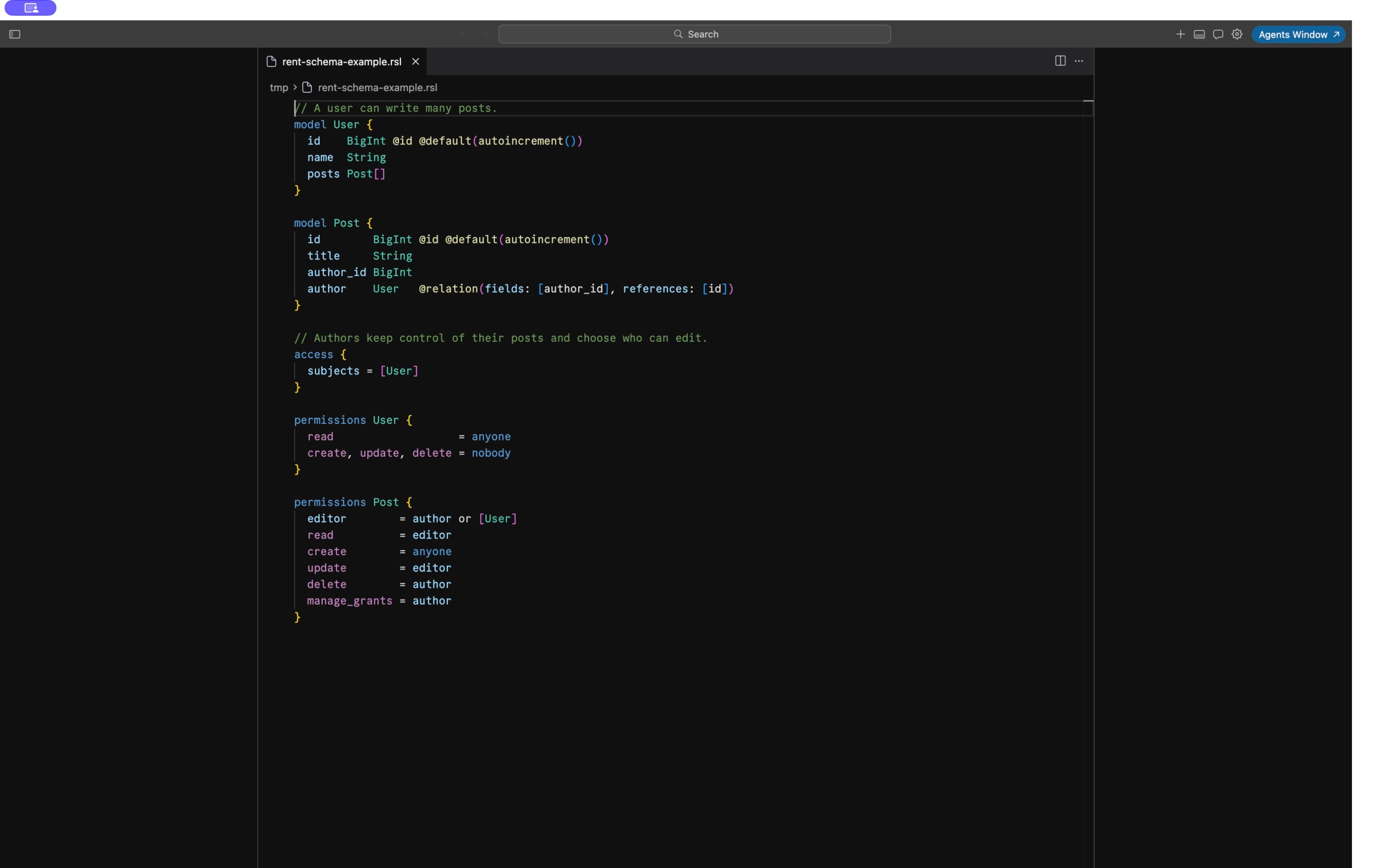
Install
Install the RSL extension and the matching rent and rent-lsp executables using
the instructions supplied with your preview access.
Remove older copies of this extension, then reload the editor window. If a newly
installed extension is not discovered, quit and reopen the editor. The status bar
should show RSL when you open an .rsl file.
If the editor cannot find the executables on PATH, set RSL: Language Server Path
(rsl.languageServerPath) and RSL: Formatter Path (rsl.formatterPath) to their
absolute paths. Each setting accepts an executable, not shell arguments. Use
RSL: Restart Language Server after replacing the server executable.
Go to Definition
Use Go to Definition from the context menu or press F12 on a reference. The extension resolves:
- Model, view, composite type, and enum names used as field types.
- Fields in relation
fieldsandreferences, and model keys and indexes. - Model mixins referenced by
use, and fields inherited from those mixins. - Matching named relationship endpoints and enum default values.
- Access subject models, permission profiles, permission rules, grant subject models and usersets, and relationship paths inside permission expressions.
- Field targets in
update(fields)andupdate_to(fields), including permission profiles. - Field names and enum values in permission conditions.
Definitions work across files and use unsaved editor contents. The nearest applicable
rent.toml identifies the schema file or directory. Without one, the server loads
RSL files beneath the current file's directory. Nested projects remain separate.
If a shared permission profile refers to fields on several consuming models,
Go to Definition can offer more than one destination.
Live diagnostics
Schema errors appear in Problems and as editor squiggles while you type. These include syntax errors, undefined model/type names, unknown relation fields and referenced keys, undefined profiles and permission rules, and other errors reported by Rent's schema validator. Saving, changing, creating, or deleting sibling RSL files refreshes diagnostics. Correcting a reference clears its error.
The editor also provides two relationship advisories:
- An implicit list relationship with no opposite field gets an informational diagnostic: Rent permits this and creates a one-way join table. Add an opposite field if you intended an inverse foreign-key relationship.
- Multiple possible opposite fields get a warning suggesting matching
@relationnames so the intended endpoints are clear.
An explicitly defined one-way foreign-key relationship needs no inverse field. These advisories do not add requirements to the RSL compiler.
When a file has invalid syntax, the server reports that syntax error and avoids cross-file semantic errors caused by an incomplete schema. Navigation still works in healthy sibling files. Diagnostics check your schema without connecting to a database.
Formatting
Run Format Document from the command palette. To format whenever an RSL file is saved, add these editor settings:
"[rsl]": {
  "editor.defaultFormatter": "rent.rsl-language",
  "editor.formatOnSave": true
}
Formatting aligns field names, types, and attributes. It works with unsaved buffers, preserves line endings, and does not write files behind the editor. Invalid syntax leaves the buffer unchanged and reports the error in the RSL output channel. Cancellation or editing while the formatter runs discards the outdated result.
Language-server execution and formatting require a trusted workspace. Highlighting remains available in restricted mode.
Syntax highlighting
| Element | Example |
|---|---|
| Block keywords | model, mixin, enum, type, view, datasource, extension, tenancy, access, permissions |
| Declaration names | Post in model Post { |
| Field names and types | display_name String, org_id String?, posts Post[] |
| Attributes | @id, @default(now()), @@unique([owner_id, key]), @rent.version |
| Strings and numbers | "posts", @db.VarChar(200), triple-quoted SQL in @@rent.sql |
| Permission operations and terms | read, update, update_to, manage_grants, anyone, or, when |
| Developer-defined permission names and usersets | editor, author, [Team#member] |
| Comments | // a note |